
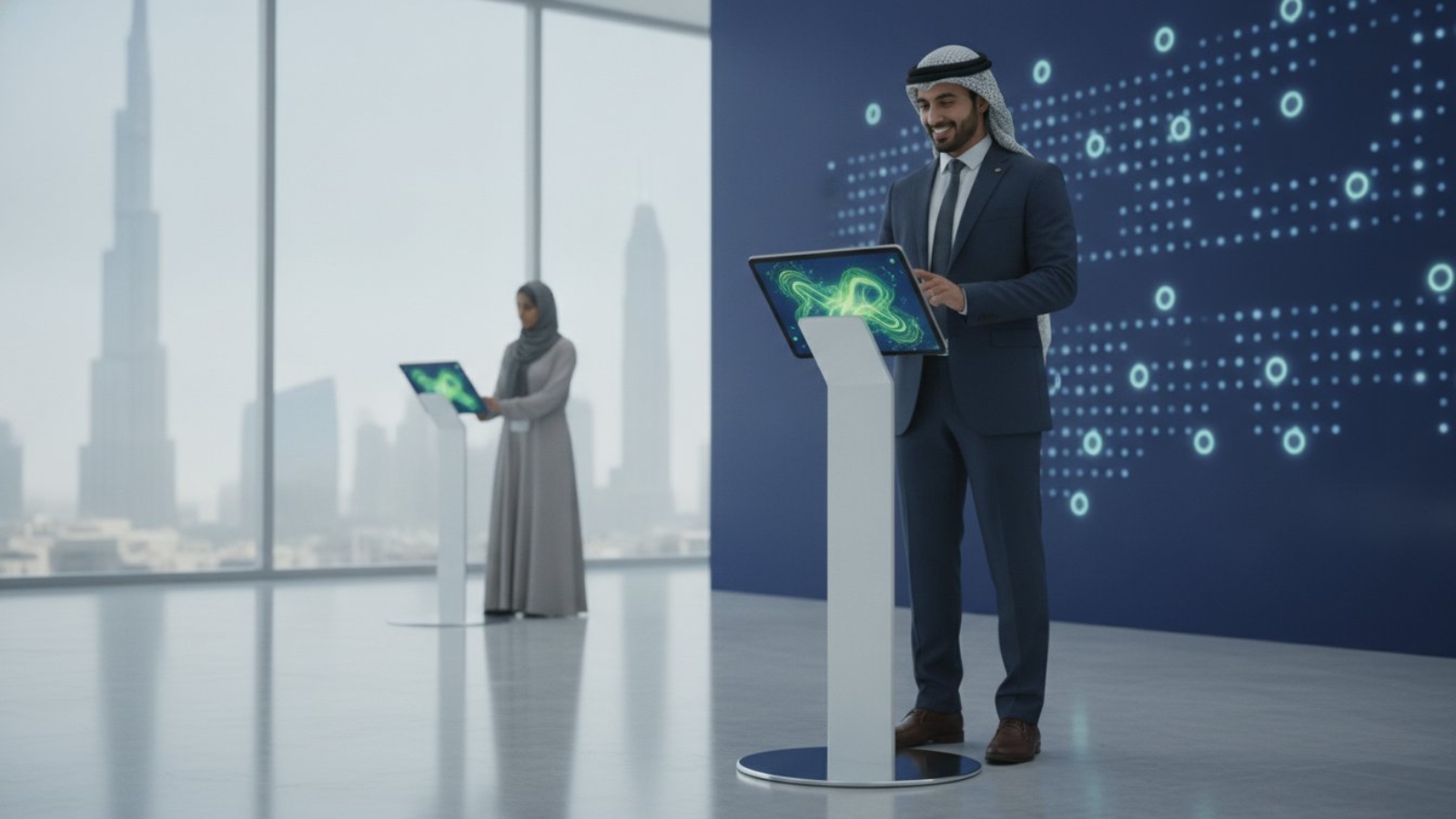
An ipad stand is not just a holder; it’s a strategic engagement kiosk that dictates how every single attendee interacts with your brand. You’ve likely felt the frustration of a cluttered booth where messy charging cables ruin the aesthetic, or the constant worry that expensive hardware might be damaged or stolen during a busy rush. It’s stressful to manage high-stakes exhibitions when your technology feels like a liability rather than a seamless extension of your team. Poor ergonomics often lead to low interaction, as visitors won’t engage with a device that’s positioned at an awkward angle or height.
This article promises to show you how to strategically select and deploy iPad stands to transform your event technology into a professional engagement powerhouse. We’ll explore how secure, lockable enclosures and integrated cable management create a sleek, dependable environment. You’ll learn how to leverage customized branding and ergonomic floor stands to drive lead capture and ensure your hardware stays powered all day. By the end, you’ll have a clear roadmap for building a sophisticated, high-performing booth that stands out in the competitive 2026 event landscape.
Key Takeaways
- Understand the psychological impact of using professional enclosures to build immediate trust and authority with exhibition visitors.
- Select the ideal ipad stand for your specific objectives, whether you need floor kiosks for wayfinding or desktop mounts for 1-on-1 demos.
- Optimize engagement by placing interactive stations along natural foot traffic paths and calibrating them to the perfect ergonomic height.
- Secure your hardware against theft and tampering using industrial-grade locking mechanisms and discreet cable management.
- Gain operational flexibility and cost-efficiency by choosing rental solutions over the long-term burden of equipment ownership.
Why Professional iPad Stands are Essential for Modern UAE Events
A professional ipad stand is a secure mounting solution engineered specifically for high-traffic public interaction. It’s a mistake to view these as simple accessories; they’re critical infrastructure for any modern exhibition. In the fast-paced environment of a Dubai or Abu Dhabi trade show, your hardware needs to be as resilient as it is accessible. These stands provide a stable, fixed point of contact that invites visitors to engage with your digital content without the hesitation often associated with handling loose devices.
The psychological impact of a professional housing cannot be overstated. When an iPad sits loosely on a table, it looks like a personal possession that someone might have accidentally left behind. This creates a barrier to entry. In contrast, a tablet mounted in a heavy-duty, branded enclosure signals authority and purpose. It tells the attendee that the device is a public tool meant for their use. This shift in perception is vital for building immediate trust, especially when you’re asking visitors to input sensitive lead information or participate in digital surveys.
These stands serve as the physical foundation for interactive event technology UAE, ensuring your software is always at the correct ergonomic height. Beyond just holding the device, they provide a critical layer of protection. High-traffic exhibitions are prone to accidents, including spilled drinks, crowded walkways, and clumsy handling. A secure stand prevents expensive hardware from being knocked to the floor or damaged by environmental hazards, keeping your digital experience running smoothly from the opening keynote to the final breakdown.
Beyond Aesthetics: The Strategy of Kiosk Mode
Using a stand allows you to lock your device into a “kiosk mode,” which encourages longer dwell times at your booth. When attendees aren’t worried about dropping the tablet or navigating away from the app, they’re more likely to explore your digital brochures or registration forms. This creates a self-service environment that frees up your staff to handle more complex inquiries. A professional stand transforms a standard tablet into a dedicated, high-impact brand touchpoint that commands attention.
Professionalism in the UAE Corporate Sector
The UAE corporate sector is known for its world-class standards and appreciation for premium aesthetics. Meeting these expectations requires a setup that is sleek and entirely clutter-free. Integrating your hardware into a broader digital signage strategy allows you to synchronize messaging across multiple screens while hiding unsightly charging cables within the stand’s neck. For VIP corporate gatherings or international trade shows, this level of polish aligns your hardware presentation with your brand’s high-end positioning, ensuring you leave a lasting, professional impression on every visitor.
Choosing the Right iPad Stand Type for Your Event Objectives
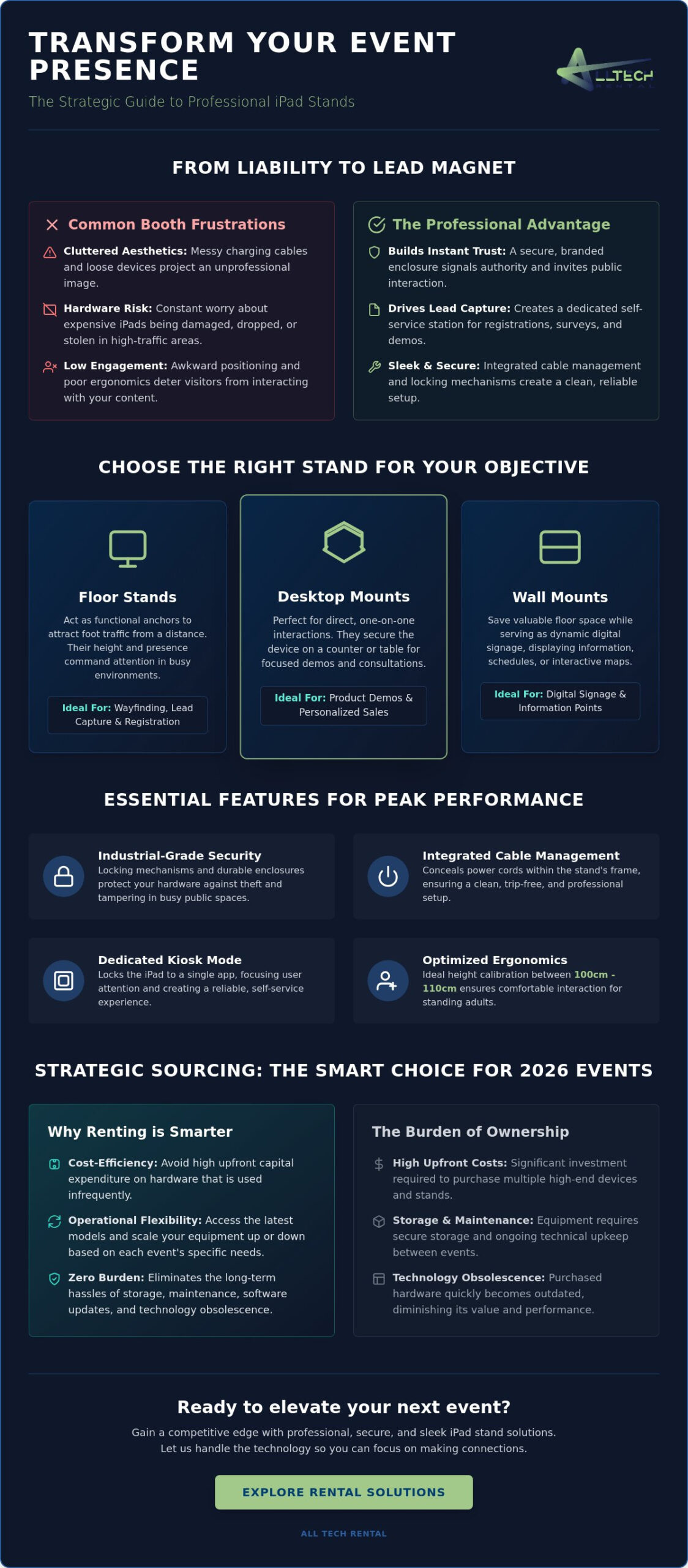
Selecting the correct ipad stand is a tactical decision that dictates how visitors interact with your digital content. Your choice should align directly with your specific event goals, whether that’s rapid lead capture, immersive product demos, or simple wayfinding. While a floor kiosk might command attention at an entrance, a wall-mounted enclosure serves better for space-saving digital signage. Each mounting style offers unique advantages in terms of security, visibility, and user experience.
According to recent arts engagement research, interactive elements are key to fostering social connectedness at public exhibits. This highlights the importance of choosing hardware that invites participation. For example, adjustable stands allow you to pivot the screen for better viewing angles, while fixed-angle stands prioritize security and a uniform booth appearance. Height calibration is equally vital; for standing adult interaction, setting your display between 100cm and 110cm ensures the screen is at a natural eye level, preventing discomfort during use.
Floor Stands for Maximum Visibility
Floor stands act as functional anchors for your exhibition booth. They’re designed to attract foot traffic from a distance, making them ideal for registration stations or interactive maps. Heavy-base designs are a requirement in crowded UAE exhibition halls to ensure stability against accidental bumps. Integrating these high-visibility kiosks with a comprehensive iPad rental for events package allows you to deploy a turnkey solution that’s ready for immediate use. If you’re planning a high-stakes exhibition, exploring professional equipment hire options can help you secure the perfect configuration for your floor plan.
Countertop Solutions for Personal Interaction
Desktop mounts are the preferred choice for 1-on-1 sales demos and check-in counters. These stands optimize lead capture forms by bringing the technology directly into the conversation. Swivel-base features are particularly useful; they let your staff easily share content or data visualizations with an attendee without moving the entire unit. Ergonomics play a major role here. A well-positioned countertop stand prevents neck strain during long interaction sessions, ensuring the technology facilitates the sale rather than distracting from it. By choosing a stand that matches the pace of your interaction, you create a more seamless and professional brand experience.
Essential Features for Professional Event Hardware Security
Security in a public exhibition space requires a different approach than a home or office environment. While consumer-grade mounts prioritize ease of use, a professional ipad stand must prioritize hardware protection and software integrity. High-traffic events involve hundreds of interactions daily, making key-locked enclosures a non-negotiable requirement. These industrial-grade locks prevent unauthorized removal of the tablet, ensuring your investment remains exactly where you placed it throughout the duration of the show.
Physical security extends beyond just the enclosure. Most professional stands include Kensington lock slots, which allow you to tether the entire unit to heavy booth furniture or structural pillars. This dual-layer protection is essential when you consider that trade shows remain an invaluable marketing tool for brand building. Protecting your technology ensures these interactions happen without interruption. Additionally, tamper-proof power button covers are vital; they prevent curious attendees from accidentally or intentionally exiting your application. By combining “Kiosk Mode” software with a physical housing that hides the home button and power controls, you create a dedicated terminal that stays on message all day.
Integrated Cable Management
Messy wires don’t just look unprofessional; they’re a significant liability. Professional stands feature internal routing that hides charging cables within the neck of the unit. This creates a clean, streamlined aesthetic that reflects well on your brand. More importantly, it prevents trip hazards in busy exhibition aisles and stops accidental unplugs. Since most event days run for 10 hours or more, a continuous power supply is mandatory. Integrated management ensures your devices stay charged and operational without unsightly power strips cluttering your floor space.
Durability and Material Quality
The materials used in your mounting solution dictate its lifespan and reliability. While plastic stands often fail under the pressure of constant public use, steel and aluminum enclosures offer the ruggedness required for professional settings. Steel provides maximum security and weight for floor-standing units, while aluminum offers a more lightweight yet durable option for desktop mounts. High-quality finishes also offer better resistance to fingerprints and can withstand the high-frequency cleaning required to maintain a hygienic and polished appearance in a corporate environment.
How to Optimize Your iPad Stand Placement for Maximum Engagement
Strategic placement is the difference between a high-performing interactive station and an ignored piece of hardware. To maximize your return on investment, you must analyze the “Natural Path” of foot traffic within your booth. Positioning an ipad stand at key entry points captures attention before attendees become overwhelmed by the rest of the exhibition. Creating distinct “Interaction Zones” prevents crowding, allowing multiple visitors to engage with your content simultaneously without feeling cramped or rushed. Testing the user journey from a distance is a mandatory step; if your screen content isn’t readable from five feet away, passersby won’t stop to investigate.
Height calibration plays a fundamental role in user comfort and dwell time. For a standing adult audience, setting your stands to a height of 100-110cm ensures a natural interaction angle that doesn’t cause fatigue. Lighting is another critical factor often overlooked until the event begins. You should position your devices to avoid direct glare from harsh overhead exhibition hall lights, which can make digital brochures or lead forms impossible to read. If you’re unsure about the best layout for your specific floor plan, consulting with a specialist for professional event technology advice can help you avoid these common logistical pitfalls.
The 3-Second Rule for Content Visibility
You have roughly three seconds to hook a visitor as they walk past your booth. Your stands should be positioned so that “Hook” content is immediately visible at eye level. Choosing between vertical (portrait) and horizontal (landscape) orientation depends on your app’s design; portrait is often better for long registration forms, while landscape excels for video demos. The specific tilt angle of the stand dictates the approachability of the device, as a slightly upward-facing screen feels more inviting to a standing user than a flat, vertical display.
Integrating with Registration Flow
For events requiring high-volume check-ins, using stands in conjunction with event badge printer rental creates a seamless self-service environment. This setup empowers attendees to manage their own registration, but it requires careful spatial planning. You need to ensure enough space between each stand so that visitors can type comfortably and maintain their privacy. Strategic spacing also helps manage queues naturally, preventing bottlenecks at the entrance and maintaining a smooth, professional atmosphere throughout the day. By organizing your hardware into logical sequences, you remove friction from the attendee experience and increase the efficiency of your lead capture efforts.
Strategic Sourcing: Why Rental is the Smart Choice for 2026 Events
Sourcing a professional ipad stand for a high-stakes exhibition involves more than just a simple purchase. In the rapidly evolving UAE event sector, ownership often leads to logistical burdens that outweigh the benefits. Buying high-end hardware for a single event creates long-term storage and maintenance requirements that many businesses find inefficient. Rental provides the flexibility to access different stand types for different event scales without significant capital expenditure. Whether you need a single desktop mount for a boutique gallery or 50+ identical floor kiosks for a major Sharjah conference, rental solutions offer the scalability required for modern exhibition planning.
Professional support is another critical factor that makes rental a superior choice for 2026. High-stakes environments leave no room for technical errors or assembly delays. Choosing a rental partner ensures you receive onsite setup and technical assistance, removing the stress of managing hardware logistics yourself. This service includes everything from secure installation to ensuring every ipad stand is perfectly calibrated for your specific floor plan. By outsourcing these technical details, your team can remain focused on attendee interaction and lead generation rather than troubleshooting equipment.
Rental vs. Buying: A Quick Analysis
Owning hardware often results in “technology debt,” where you’re stuck with outdated stands as iPad dimensions and charging standards change. Rental allows you to stay current with the latest hardware releases without the risk of obsolescence. For a more detailed financial breakdown, you can consult our ipad rental vs buying guide. Beyond the financial savings, there are significant environmental benefits to the circular rental economy. Utilizing shared resources helps your company meet corporate CSR goals by reducing electronic waste and the carbon footprint associated with manufacturing and individual long-term storage.
The All Tech Rental Advantage
All Tech Rental provides nationwide delivery and professional onsite installation across the UAE, ensuring your booth is ready before the first visitor arrives. We specialize in bundling secure mounting solutions with our hire iPads for trade shows service for a completely seamless experience. This integrated approach means your devices arrive pre-charged, pre-loaded with your apps, and already secured within their enclosures. Our team remains available with 24/7 technical support throughout the event, providing a “safe pair of hands” for exhibitors who demand excellence and sophisticated dependability. We take pride in removing every technical obstacle, allowing your exhibition technology to function as a professional engagement powerhouse.
Elevate Your Exhibition Strategy for 2026
Transforming your exhibition booth into a high-performance engagement hub requires more than just high-end tablets; it requires a deliberate mounting strategy. By selecting the ideal ipad stand for your specific goals and optimizing its placement for natural foot traffic, you remove the physical and psychological barriers between your brand and your audience. We’ve explored how industrial-grade security features and integrated cable management protect your investment while maintaining a sleek, professional aesthetic that aligns with the UAE’s global standards.
Strategic sourcing through rental remains the most efficient way to scale your technology needs without the burden of long-term storage or hardware obsolescence. Our team provides premium anti-theft hardware, nationwide UAE delivery, and professional onsite technical support to ensure your event runs without a hitch. This approach allows you to focus on high-value interactions rather than logistical troubleshooting. Ready to transform your next trade show into a professional engagement powerhouse? Request a Quote for Professional iPad Stand Rentals and experience the peace of mind that comes with a dedicated technology partner. We’re here to help you lead the way in 2026.
Frequently Asked Questions
Do iPad stands fit all models of iPads?
Professional ipad stand enclosures are typically engineered for specific models to ensure a precise and secure fit. While some universal mounts use adjustable clamps, high-security event kiosks are often tailored for specific generations, such as the iPad Pro 12.9 or the standard iPad 10.9-inch. This exact fit is necessary to keep the home button, cameras, and charging ports correctly aligned while preventing the device from shifting during heavy public use.
How do I prevent people from stealing iPads from the stands at an event?
The most effective way to prevent theft is by using industrial-grade enclosures that feature integrated key-locked mechanisms. These enclosures physically trap the tablet inside a metal housing that cannot be opened without a specific key. Additionally, you can use Kensington lock slots to tether the entire stand to a structural element of your booth, providing a secondary layer of security that prevents the stand itself from being moved.
Can I use an iPad stand for a check-in desk at a conference?
Desktop mounts are the ideal solution for check-in desks and registration counters where space is limited. They provide a stable, ergonomic platform for attendees to enter their details or sign digital waivers without cluttering the counter with loose devices. Using a swivel-base mount is particularly helpful in these scenarios, as it allows your staff to quickly rotate the screen toward the visitor to confirm information or process a check-in.
What is the best height for an iPad floor stand?
The optimal height for an ipad stand used by standing adults is between 100cm and 110cm. This range ensures the screen is positioned at a natural eye level and within a comfortable reach for most visitors, which significantly improves ergonomics. Maintaining this standard height prevents attendees from having to hunch over the device, leading to longer interaction times and a more positive experience with your digital content.
Is it better to rent or buy iPad stands for a trade show?
Renting is generally the more efficient choice for trade shows because it removes the logistical burden of storage, transport, and maintenance. It also gives you the flexibility to choose different stand types for every event, ensuring you always have the latest mounting technology. For businesses that only exhibit a few times a year, renting avoids capital expenditure and the risk of owning hardware that may become obsolete as iPad dimensions change.
Do iPad stands come with built-in charging cables?
Most professional stands feature internal cable management channels designed to house and protect charging cables. While the cables are typically provided as part of a comprehensive rental package, the stand’s design is what keeps them hidden from view. This internal routing prevents accidental unplugs and trip hazards, ensuring your devices remain powered throughout a 10-hour exhibition day without ruining your booth’s clean aesthetic.
Can I brand the iPad stands with my company logo?
Yes, professional rental providers often offer custom branding options such as vinyl wraps or branded faceplates. This allows you to incorporate your company logo and brand colors directly onto the stand’s neck or base, turning the hardware into a cohesive part of your booth design. Custom branding helps draw attention from a distance and reinforces your visual identity while attendees interact with your software or lead capture forms.
What happens if the iPad stand is damaged during the event?
If a stand is damaged during your event, you should contact your onsite technical support team immediately for a replacement. Most professional rental agreements include clear protocols for accidental damage, ensuring that your booth remains fully operational with minimal downtime. Having a dedicated support partner means you don’t have to worry about troubleshooting or repairing equipment yourself during a high-stakes exhibition, as they handle the logistics of hardware recovery.
Add a Comment